To request data deletion follow these 3 steps:
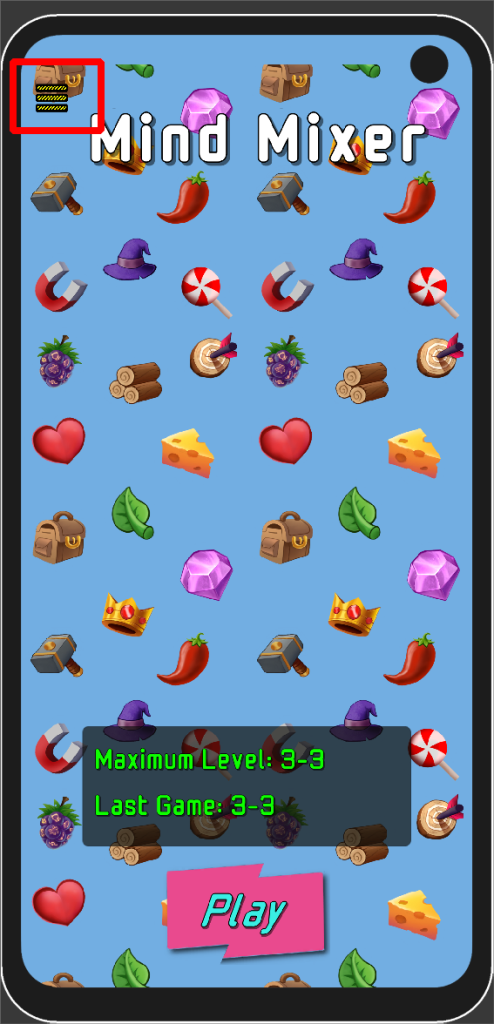
1. Click on menu drop down at top left corner of screen:
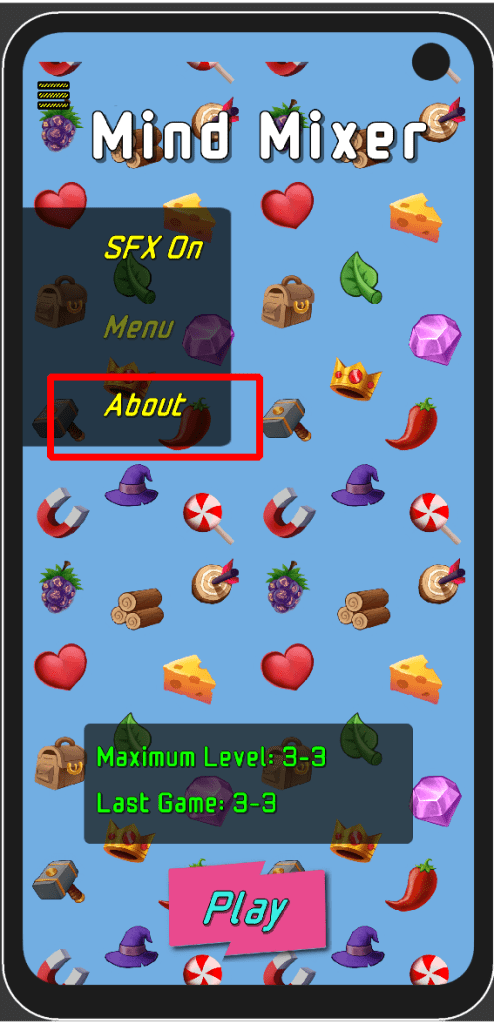
2. Select ‘About’
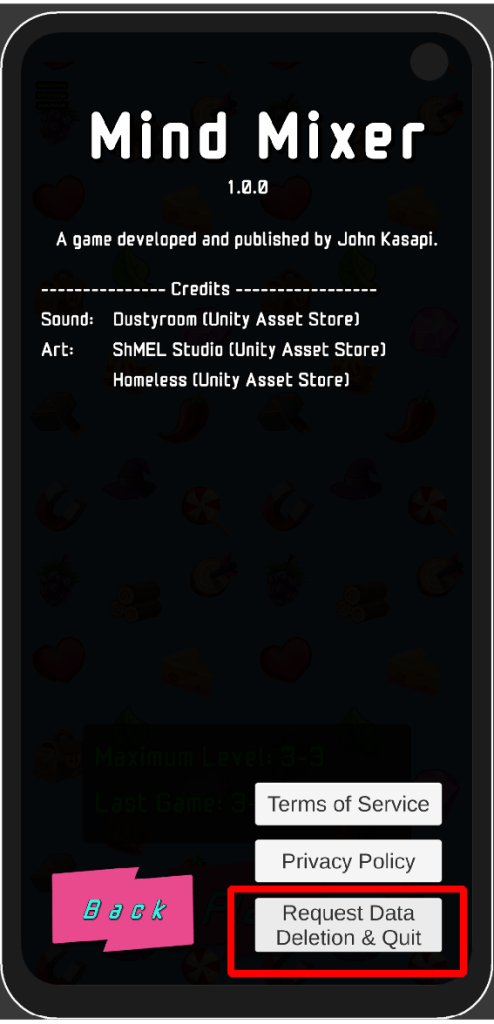
3. Select ‘Request Data Deletion & Quit’. A data deletion will be requested and the application will now quit. Opening Mind Mixer again will require accepting the privacy policy.
 Johnny Kasapi